Lead Designer Systems Thinking

Designing how
Shipt talks to
its members.

A communication infrastructure problem disguised as a UI project. Unreliable delivery, fragmented channels, and low opt-ins meant no single channel could consistently reach all members — regardless of urgency.

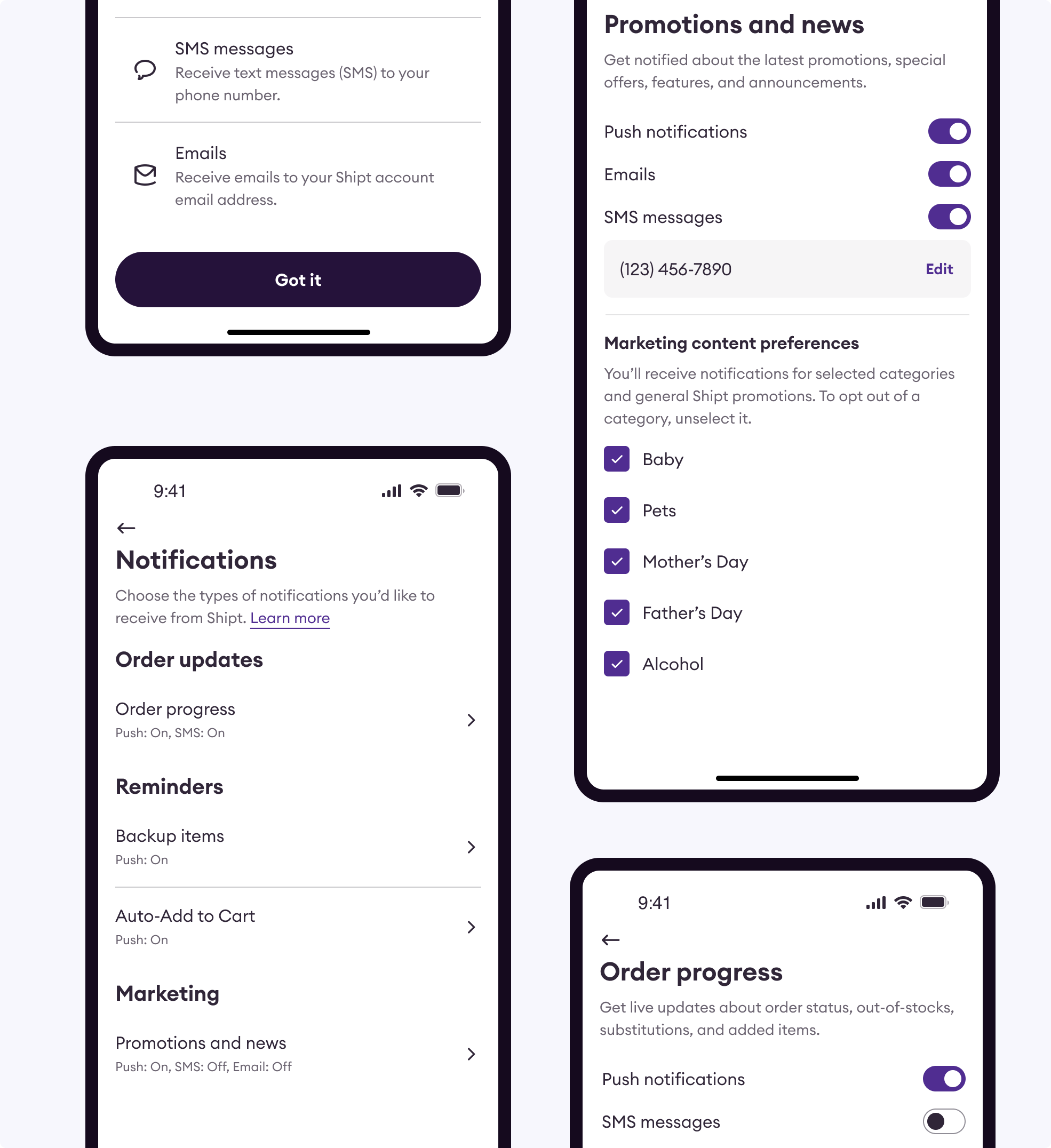
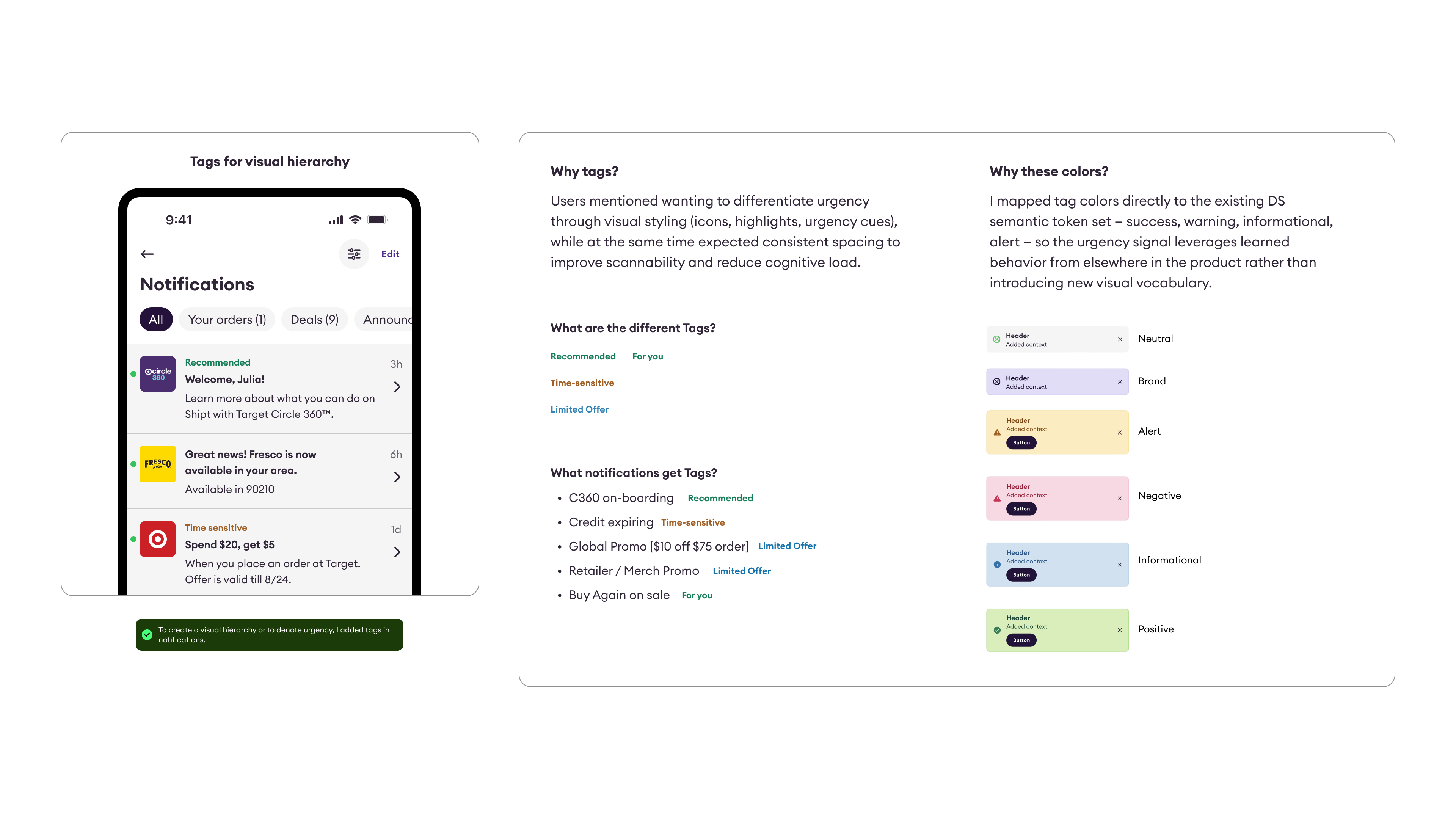
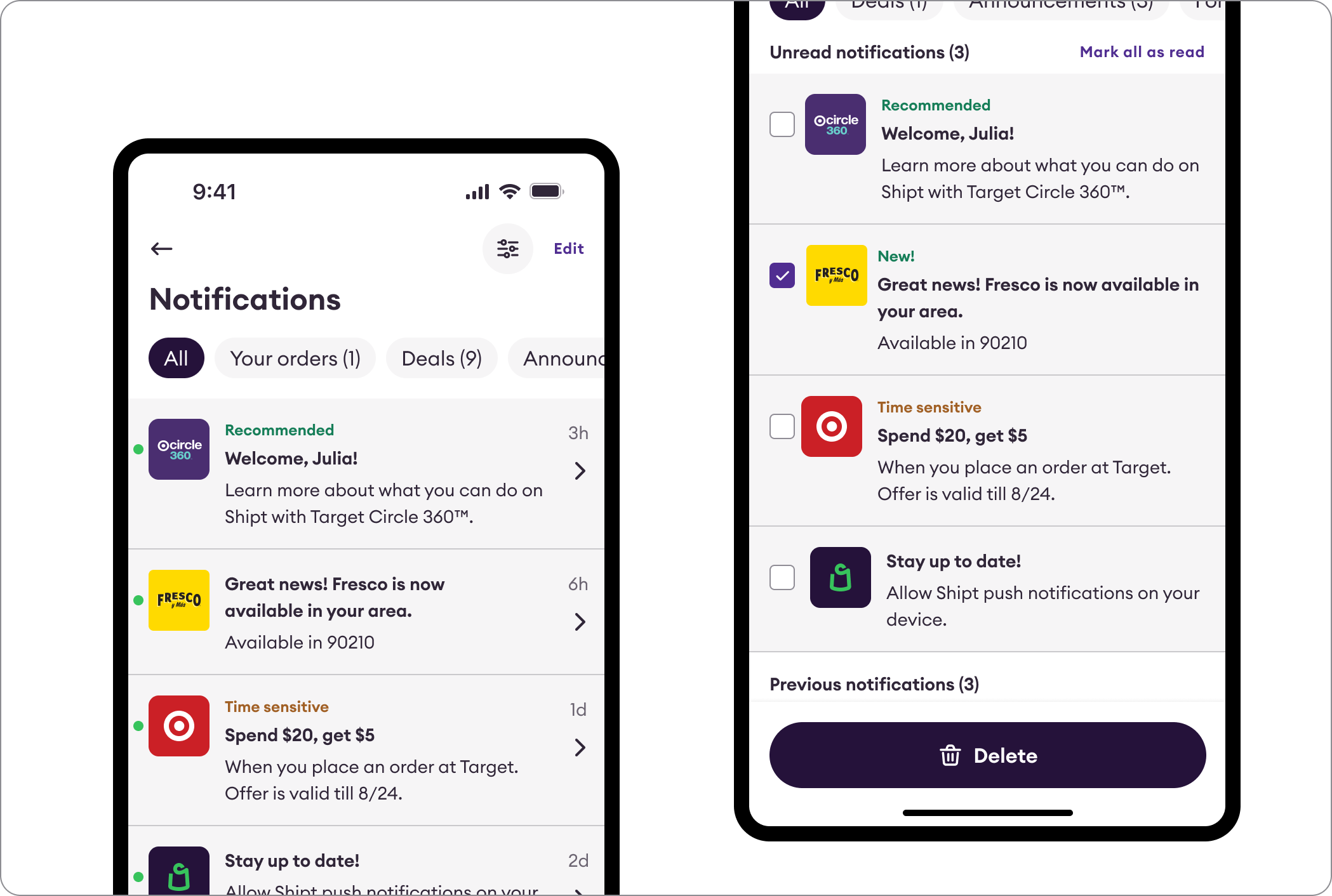
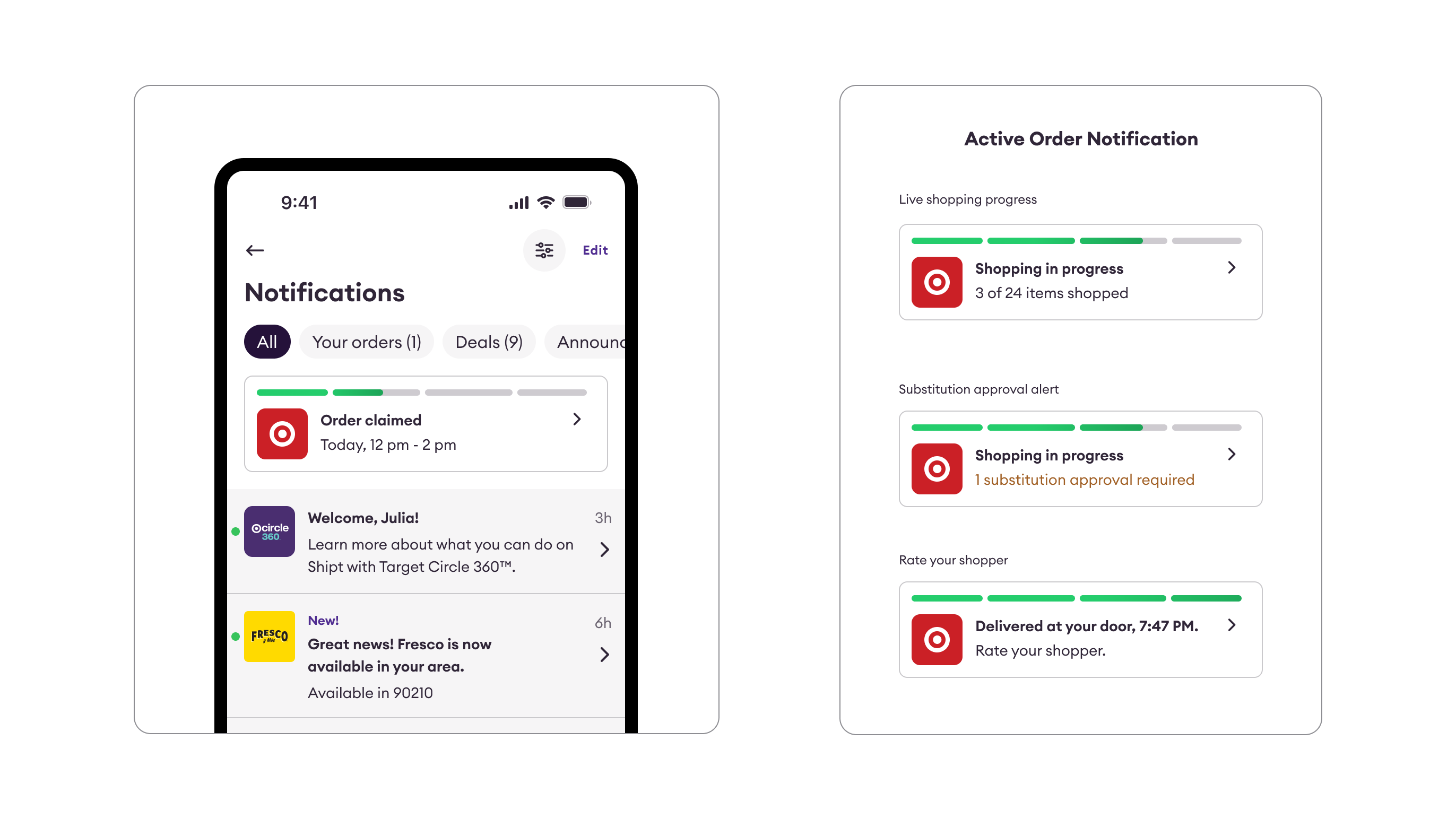
Shipt notification center designs
What we achieved
+106.19%
increase in push notification open rate — members who opted in were now receiving more relevant, better-timed communications.
+71%
increase in email click-through rate — granular preference controls drove higher-quality engagement across all channels.
The Problem

The real issue wasn't the notifications.
It was the reach.

The gap

Email hit inboxes but converted at 1.1% CTR. SMS was already overloaded with shopper comms. Push opt-ins were too low to rely on for broad reach. No channel could consistently reach all members — and none offered a passive, always-available surface for non-urgent content.

How I approached it

Three decisions that defined the design.

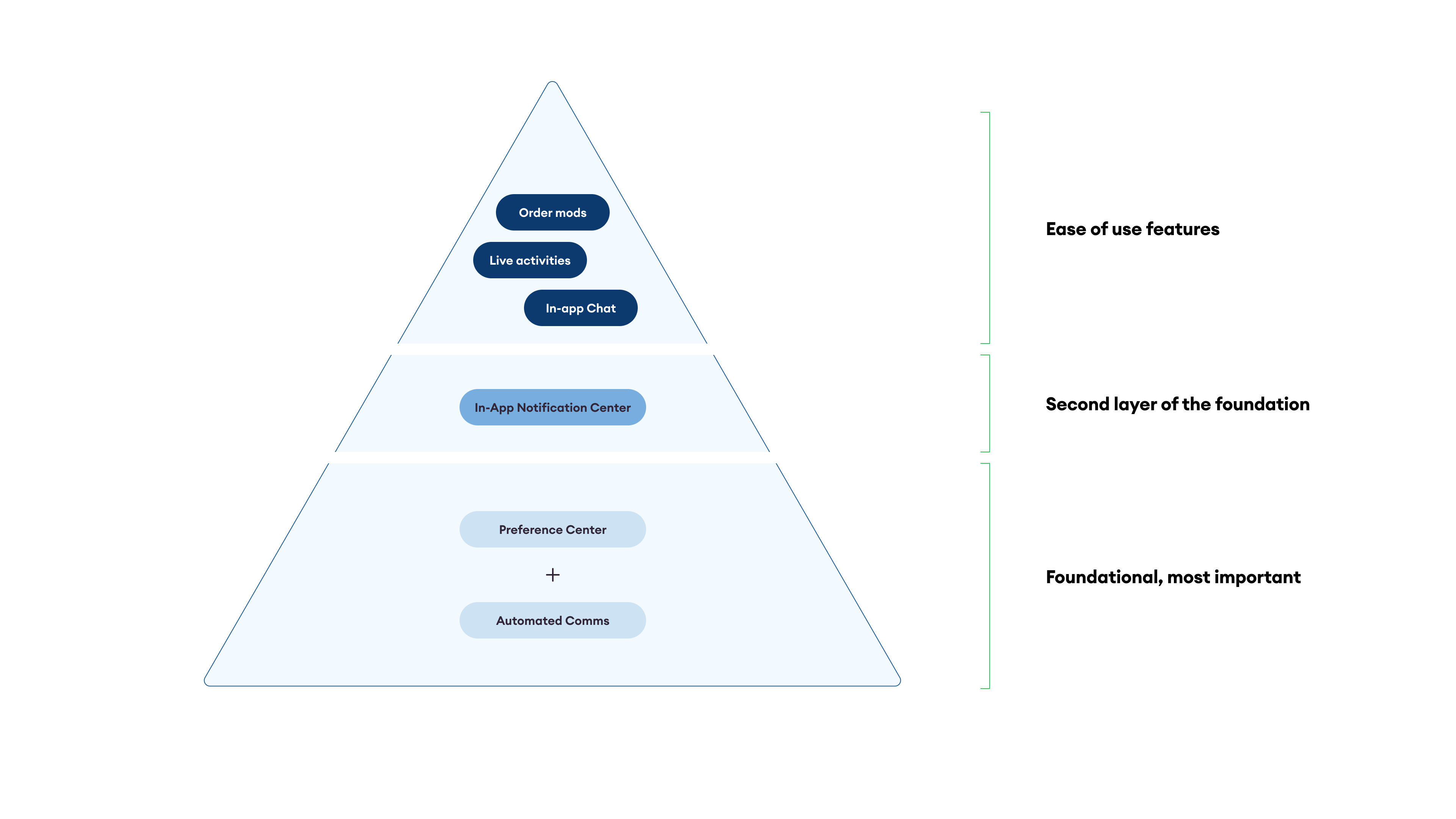
Most of the important work happened before any screen was opened. The choices I made in the framework phase determined everything downstream.

01
Strategic framing

I built a framework before I opened Figma.

Before opening Figma, I needed to define what belongs, how it's prioritized, and how any team could ship without a design review. I led a cross-functional brainstorm to surface every notification type, then organized them into five buckets ranked by urgency and user value.

Bucket 1
Bucket 2
Bucket 3
Bucket 4
Step 1

Listing use cases and organizing them in buckets

We started by listing every type of notification the platform could send. We ran a cross-functional brainstorm with Product & Marketing, then grouped all use cases into named buckets.

Highest priorityBucket 4
Bucket 2
Bucket 1
Lowest priorityBucket 3
Step 2

Ranking the Buckets

We arranged the buckets from most to least important based on urgency and member value — creating a clear priority hierarchy that content decisions could map to.

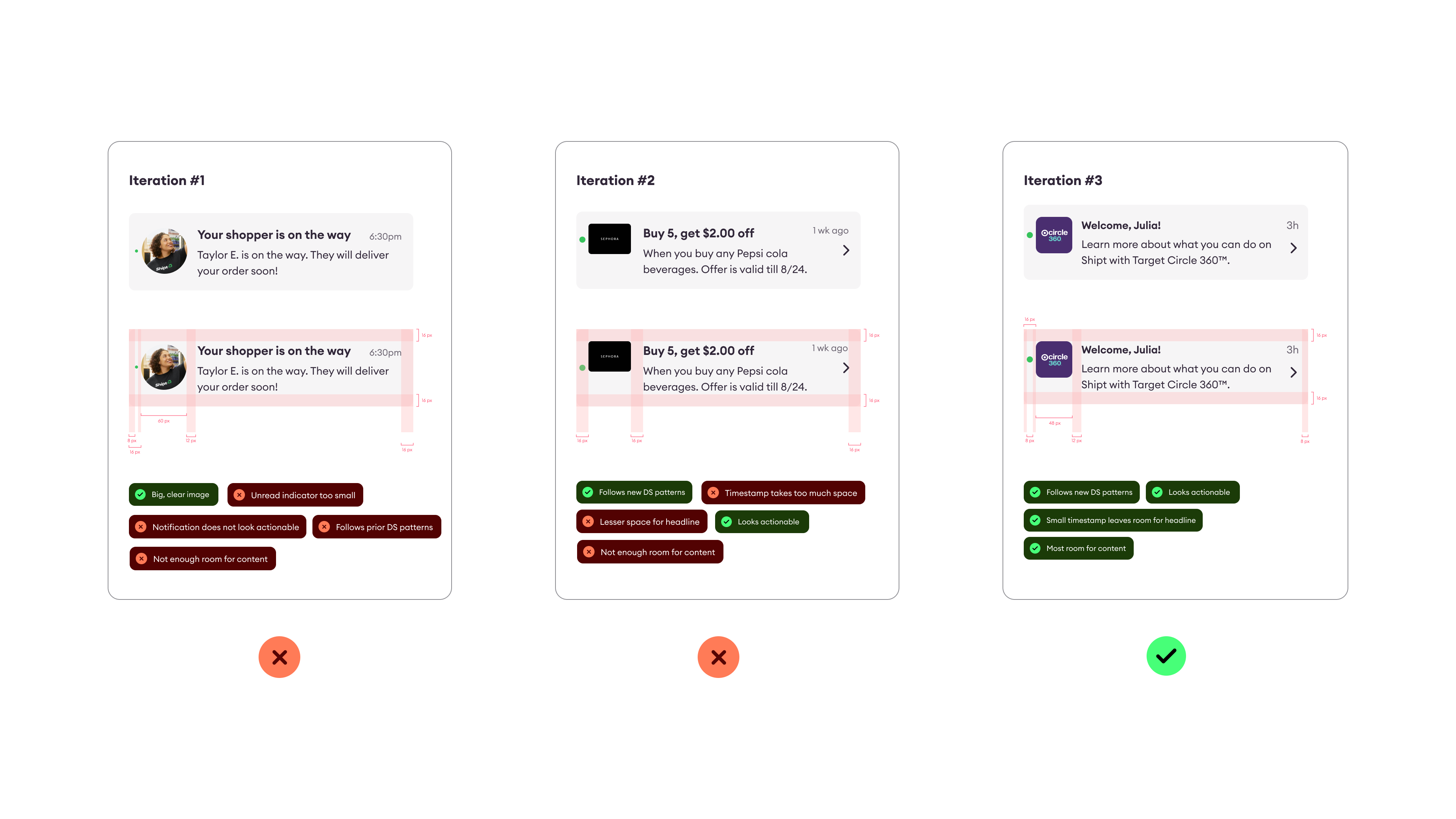
Notification headline 3h
Notification body
CTA #1 CTA #2
Notification headline 3h
Notification body
Step 3

Template System

Defining reusable notification components per bucket so any team can add to the center without needing a design review from scratch.

02
Research-driven pivot

Research challenged our model. I listened.

Research showed users read feeds chronologically with urgency as a secondary signal — not by content type. The 5-bucket model was creating overlap, not clarity. So I challenged our own framework and consolidated to 3.

03
Deliberate constraint

I deliberately limited what users could do.

Users could mark as read or delete — nothing else. Every other control we considered created expectations the backend couldn't fulfill, and a control that doesn't work erodes trust faster than no control at all.

Constraint
Full Case Study

There's more to the story.

The trailer covers the strategic framing. The full case study goes deeper — research methodology, every design exploration, alternate approaches considered and rejected, and the full delivery roadmap.

Password protected

Incorrect password. Reach out to get access.